Support
How to Purchase Lesson Plans Online
-
Step 1
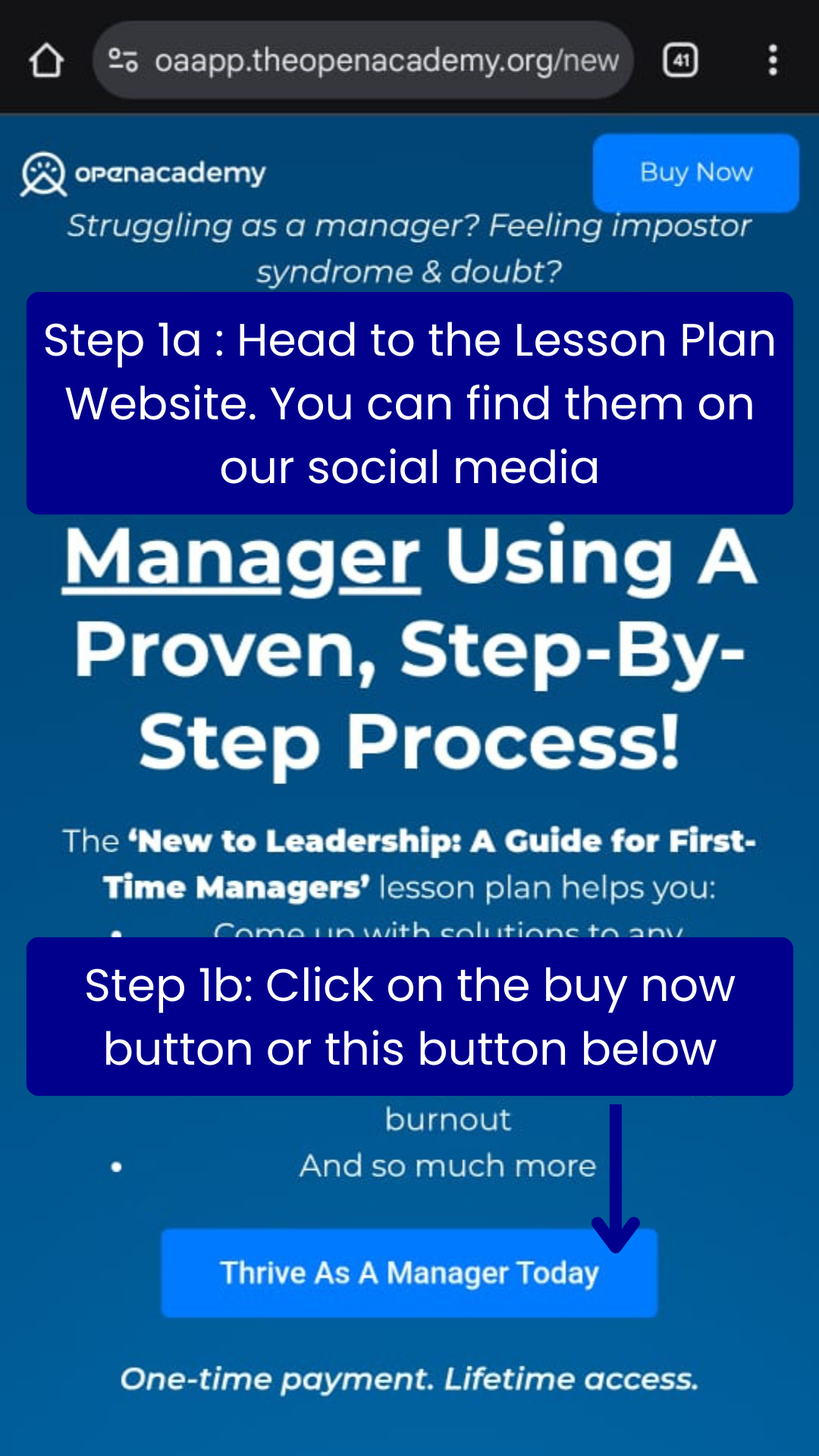
You will be redirected to the Lesson Plan Page from our Ads or from our Social Media page. You can find more links in our bio in our Social Media. Click on buy now or the any button similar to below.
-
Step 2
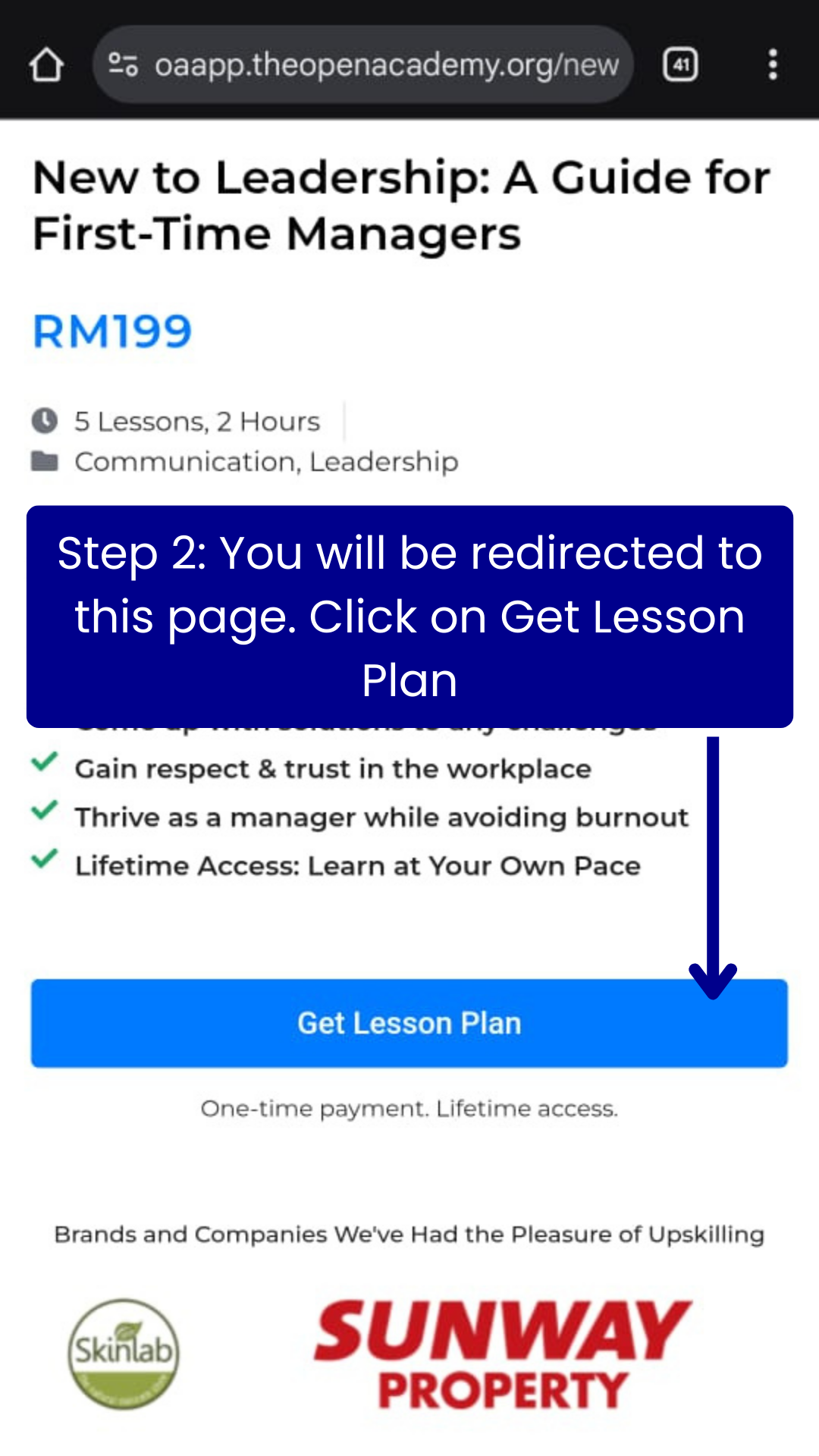
You will be directed to more info about the lesson plan. If you need more info about the lesson plan you can scroll here. Click on the Get Lesson Plan to proceed to purchase page.
-
Step 3
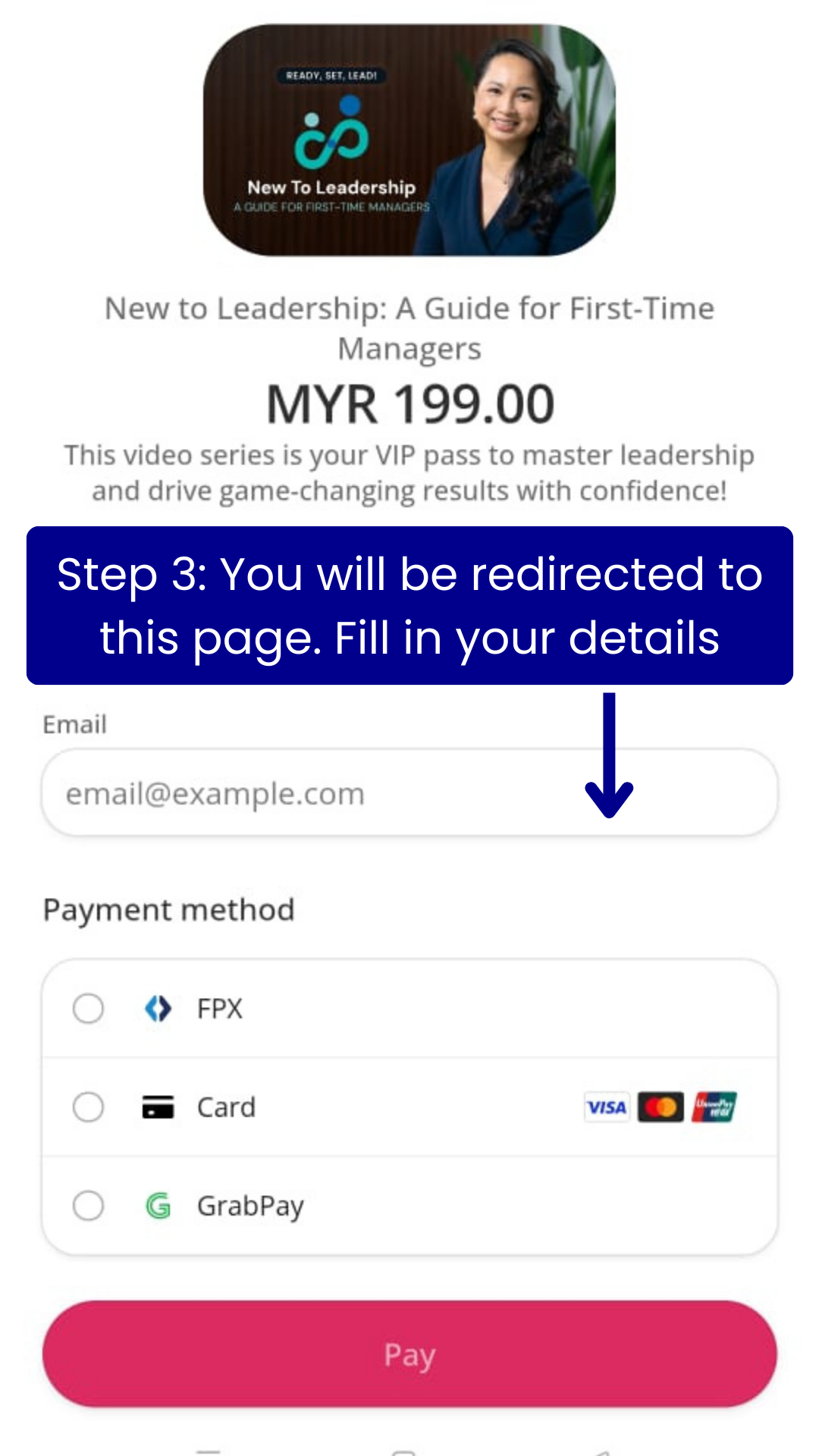
Fill in your details in the checkout page.
-
Step 4
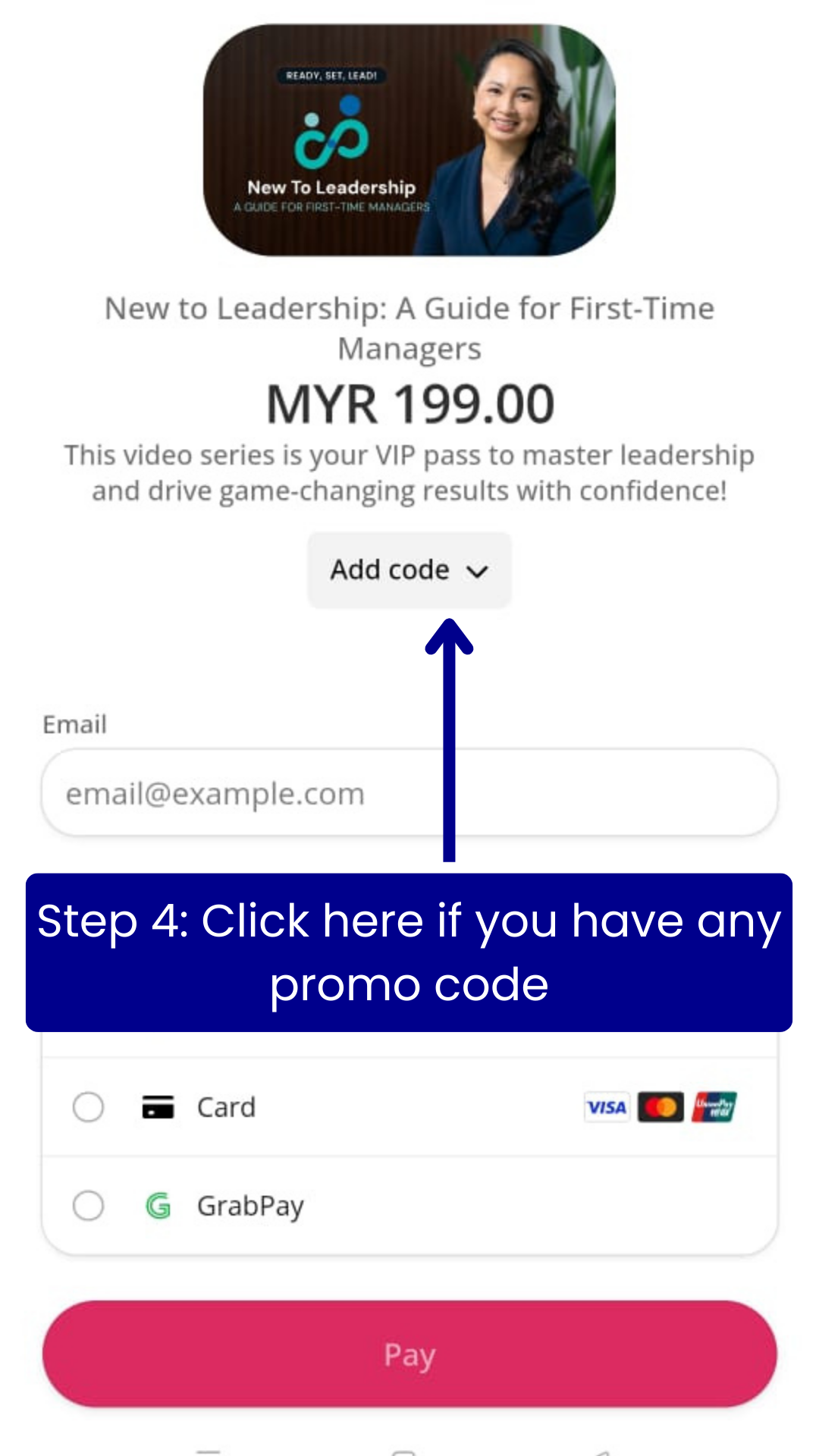
Click on the Add code button if you have any promo code available. Note that if you’re coming from a campaign page this promo code will be automatically filled up. So enjoy the discount when it last!!
-
Step 5
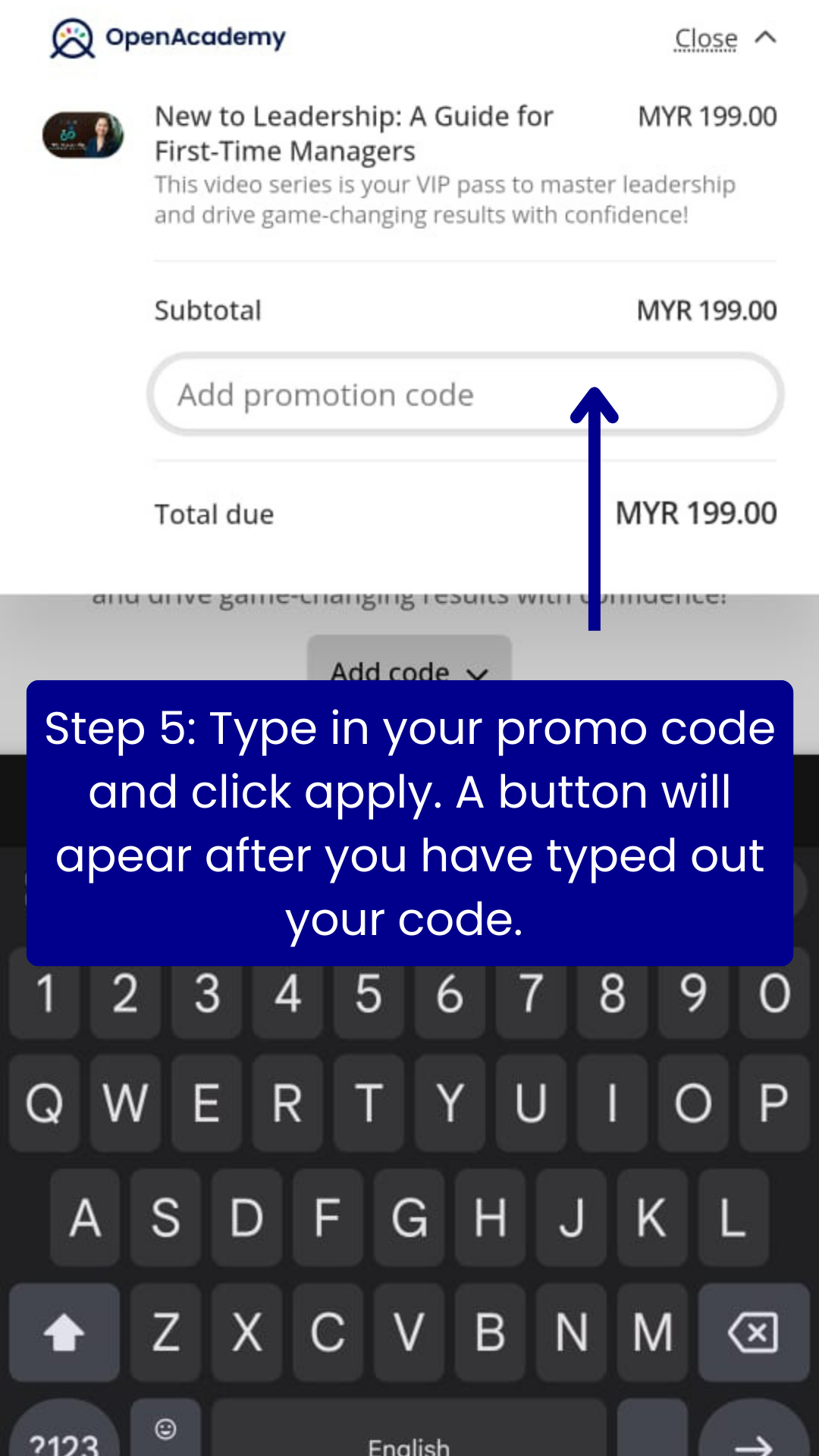
Type in the promo code. You will then notice there will be an apply button popping up right next to the promo code. After typing click on apply to activate the code. Note that if the code is expired or there's a typo there will be an error code. You can also proceed to checkout without the code as well.
-
Step 6
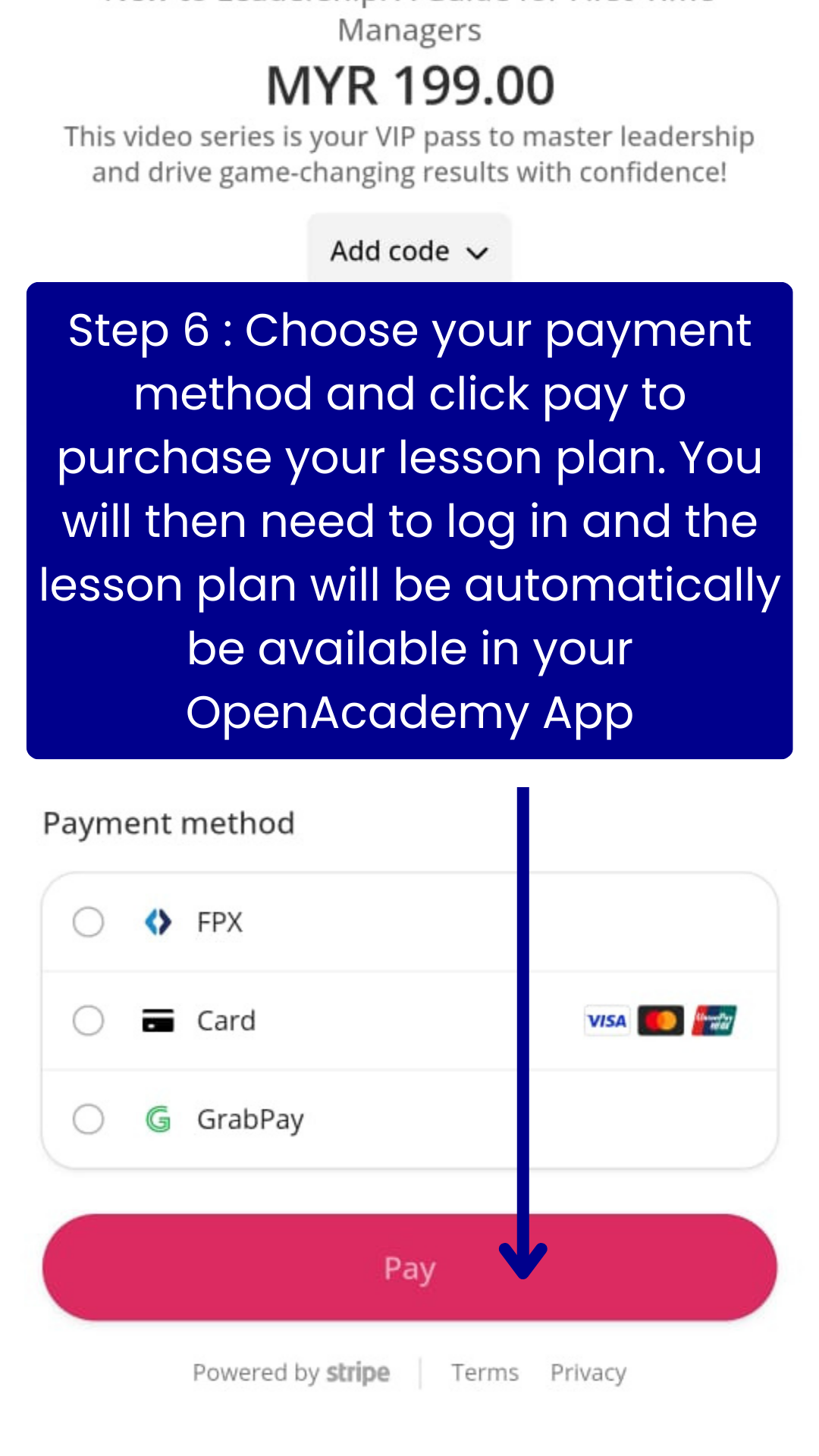
Choose your payment method and proceed with the payment. After paying you will be redirected to log in if you already have an account, if not you will need to register in the same link. You will then be able to access the lesson plan automatically in your OpenAcademy App.
-
Step 7
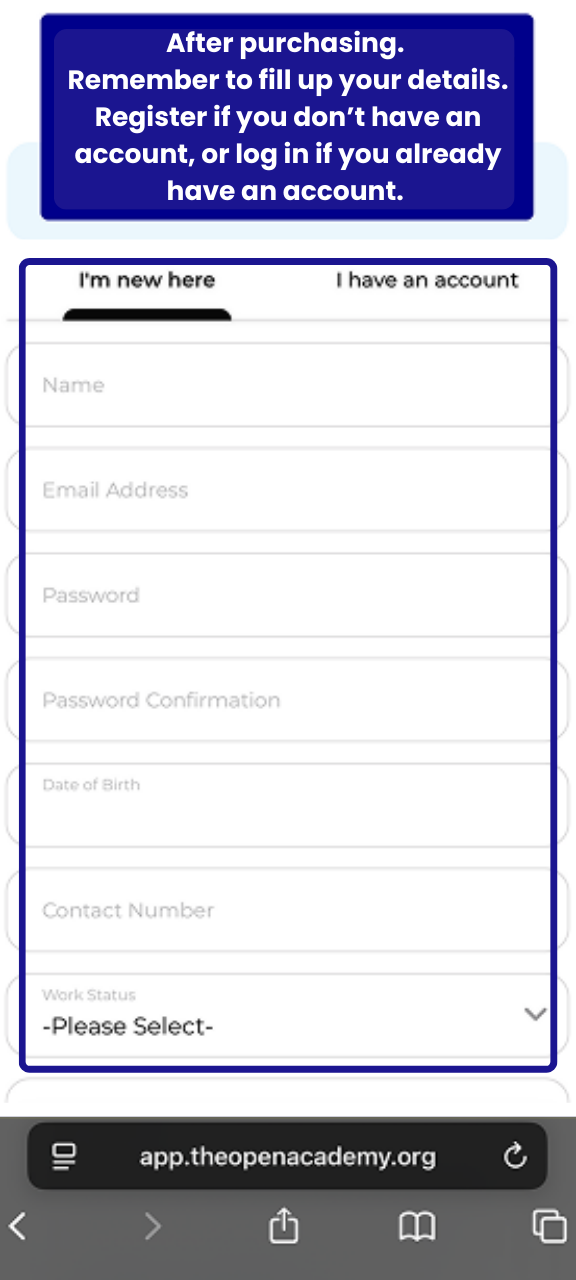
After purchasing. Remember to fill up your details. Register if you don’t have an account, or log in if you already have an account. It is important that you do not skip this step. If you skipped this step your lesson plan will not be reflected in the OpenAcademy App. If you have skipped this step, please contact the OpenAcademy team to support. If you have a referral code from a friend, you can include it, if not feel free to leave blank.
-
Step 8
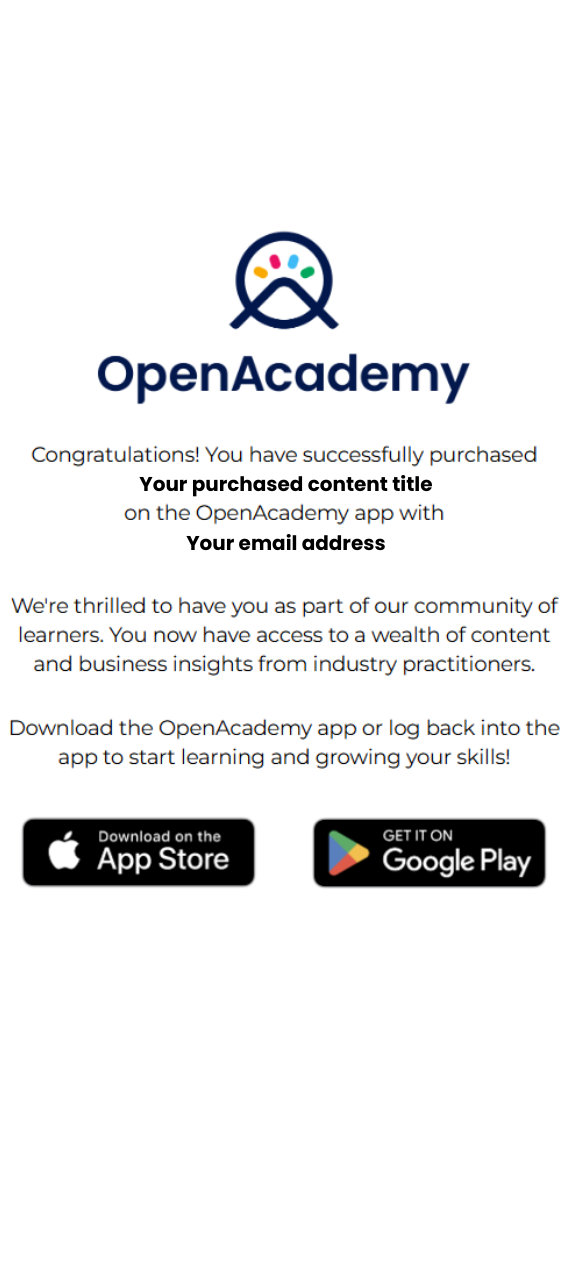
You will now be redirected to a thank you page. Please double-check that your purchase details and email address are correct. Because all content is only accessible through the OpenAcademy App. Click the button below to download the app if you haven't already.
-
Step 9
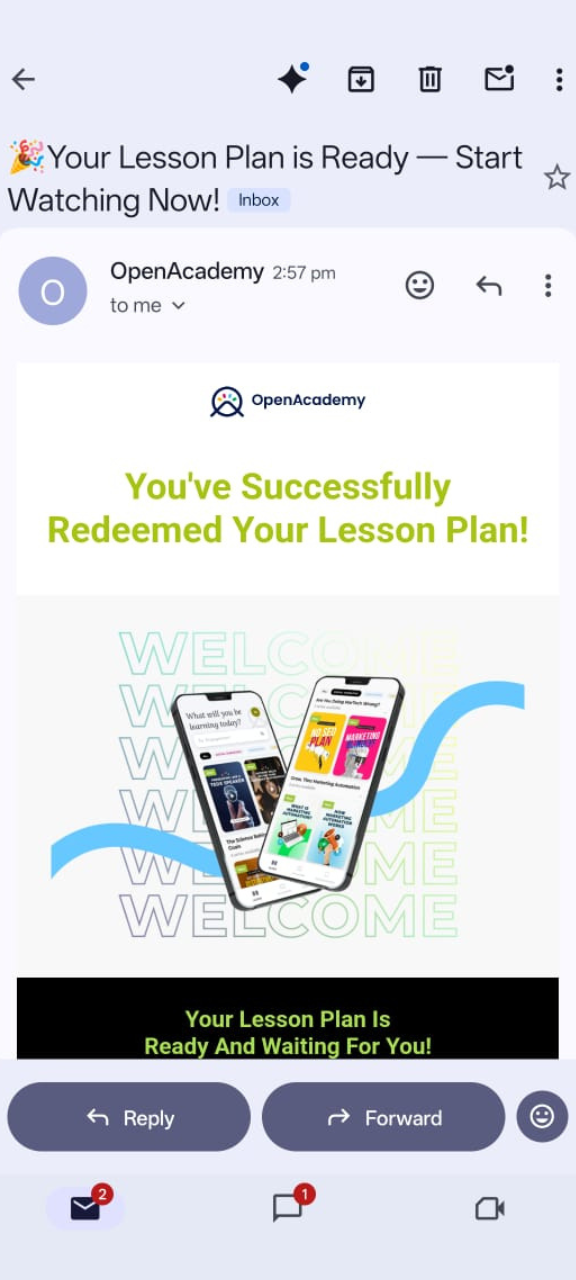
After your purchase, please check your inbox and spam folder for a confirmation email, and look for your new content directly in the OpenAcademy App. If you aren't sure where to find it in the app, read our "How to Navigate Lesson Plan" guide. If your email hasn't arrived or your content is still missing, contact the OpenAcademy team for assistance.