Support
How to Navigate Lesson Plans
How To Access Bundle
How To Use Credits
Credit Purchase Tutorial
In App Gift Code Usage
Online Promo Code Usage
How to Save Your Favorite Creator
How To Access Magazine
How to Purchase Lesson Plans Online
How to Navigate Lesson Plans
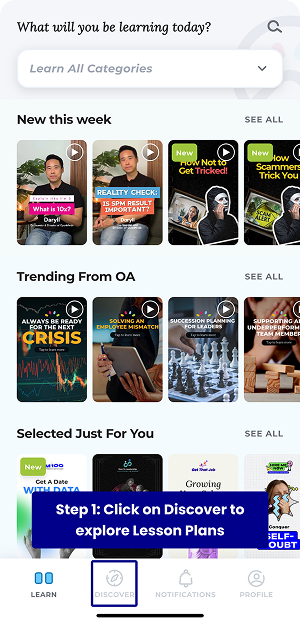
Step 1
Head to the Discover page.
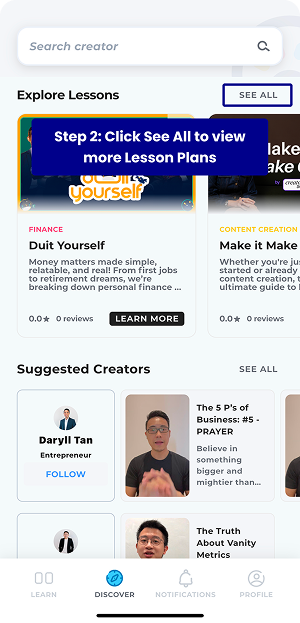
Step 2
Click See All to explore more lesson plans.
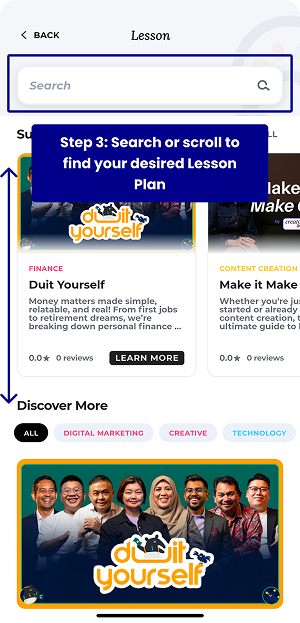
Step 3
Search or scroll to find your desired plan.
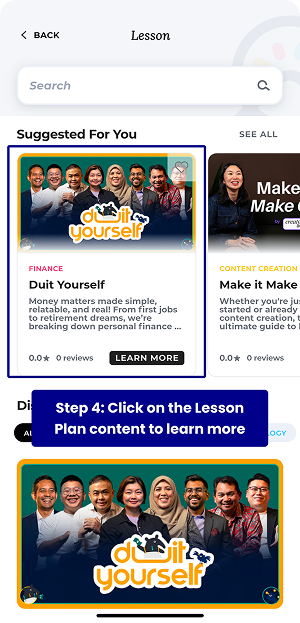
Step 4
Click on desired lesson plan.
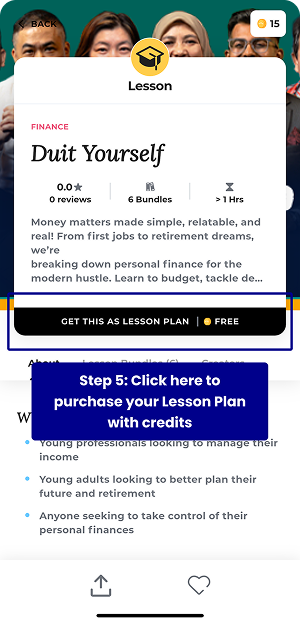
Step 5
You can unlock the lesson plans via credits. If you have unlocked it via online purchase, this indicator will not appear.
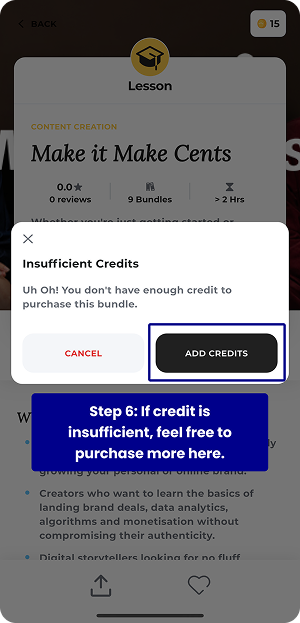
Step 6
If your credits are insufficient, follow the instructions to add credits. Ignore this step if you have already completed the online purchase.
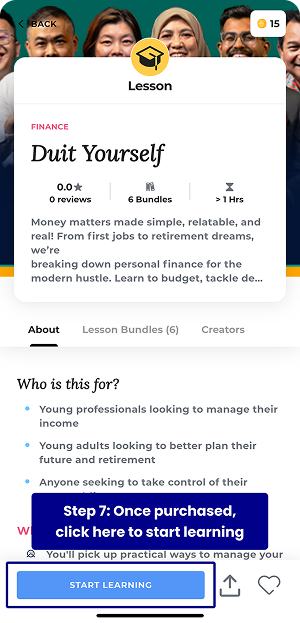
Step 7
Once successfully purchased, click on Start Learning to view your lesson plan.
Support
How to Navigate Lesson Plans
How To Access Bundle
How To Use Credits
Credit Purchase Tutorial
In App Gift Code Usage
Online Promo Code Usage
How to Save Your Favorite Creator
How To Access Magazine
How to Purchase Lesson Plans Online